 Retroition
Devlog 003 Kickstart, 68000, Agnus, Denise, Paula – the basics before we get to AROS
The next devlog is about bugs in the Blitter and in the audio.device.
Before writing about that, I wanted to understand for myself what these words mean. So I had the bots explain it to me, with sources for every statement. This text is the result. It’s for everyone who, like me, has never looked under the hood of an Amiga. If you know your way around, you won’t find anything new here, but maybe a mistake: if so, please write to me. I start with the PC of the same era and with the question of what an emulator does. After that we go inside the Amiga.
Amiga and PC around 1990: two different designs
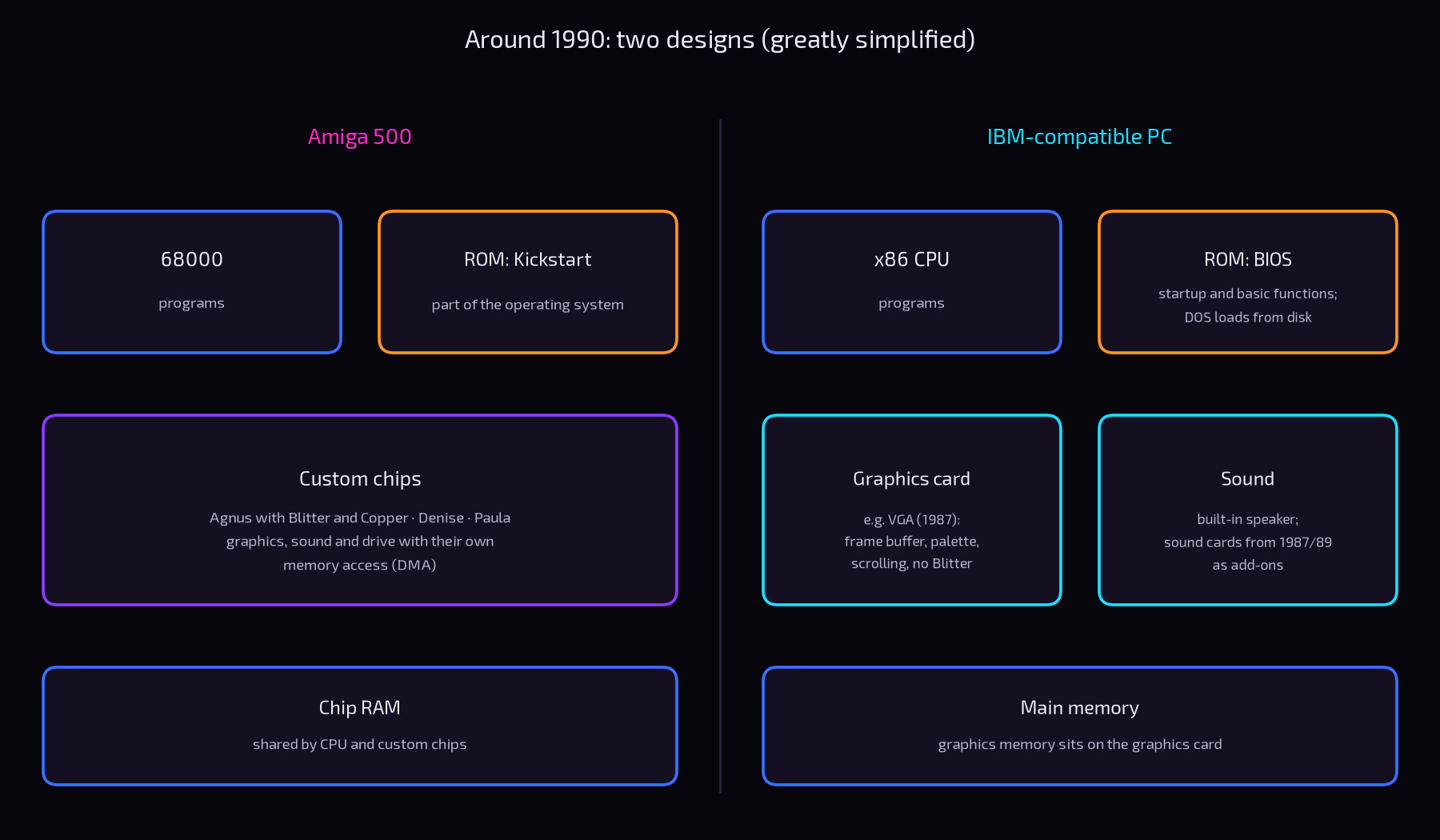
What helped me was a comparison with the PC of the same era, the late ’80s and early ’90s. The difference explains why an Amiga emulator has to be so precise.
 (enlarge image)✕ CloseOpen original image
Amiga 500 and PC around 1990, greatly simplified. Own drawing, sources in the text.
On the Amiga, graphics and sound live in the custom chips, Blitter and Copper included, and a large part of the operating system sits in ROM. What these components do, I explain further down.
On the PC of that era, things were divided up differently. It had a ROM too, the BIOS. It checks the hardware, provides basic functions and then loads the operating system, DOS for example, from a disk. The Kickstart, as the Amiga’s ROM is called, brings considerably more to startup than a BIOS. VGA, the new graphics standard of the day, arrived in 1987 with IBM’s PS/2 computers. It was more than a plain frame buffer: it had a freely configurable colour palette, could smoothly scroll and split the picture in hardware, and had helper registers for fast copying. It had no Blitter. Out of the box, sound came from a built-in speaker that could essentially beep square waves. Sound cards already existed in the late ’80s, the AdLib from 1987 and the first Sound Blaster in 1989. Until 1988, though, they were very rare.
Both worlds, by the way, accessed the hardware directly. DOS offered no interface for graphics and many devices, so PC programs talked to the hardware themselves. On the Amiga, too, the operating system could be bypassed, and some developers programmed the chips directly because it was faster. So the difference isn’t direct access as such, but what is being accessed: on the Amiga, specialised chips with precise timing and an operating system in ROM.
What an emulator does
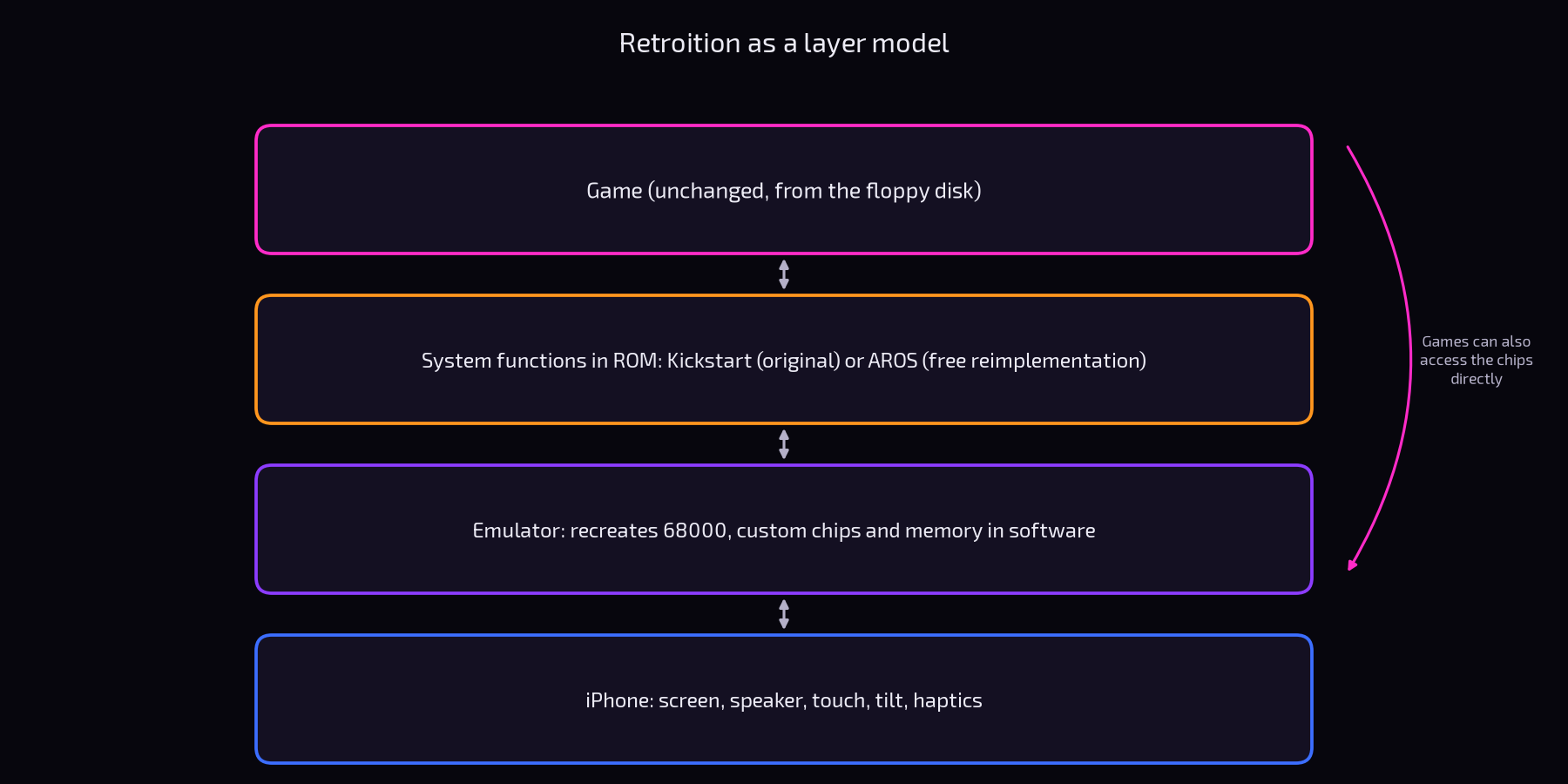
An emulator is a program that recreates an entire computer in software: the processor, in the Amiga’s case a 68000, the custom chips, the memory, the drive. To the game it looks as if it were running on a real Amiga. The game stays unchanged, just as it is on the floppy disk.
Because games can also address the chips directly, doing roughly the right thing isn’t enough. The emulator has to recreate the chips so precisely that the game behaves no differently than on the original. For our measurements the emulator therefore runs in a cycle-exact mode, as described in Devlog 004.
Inside the Amiga
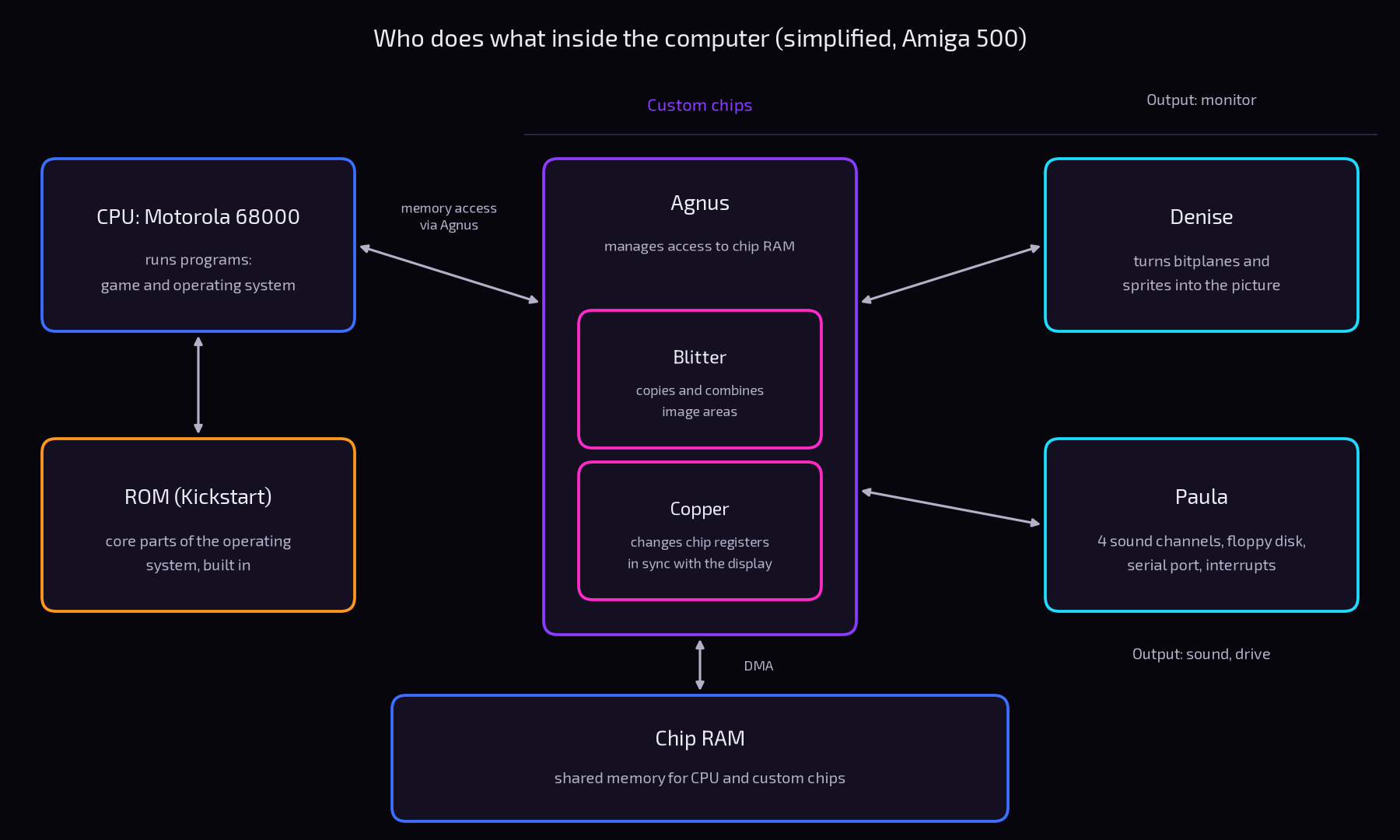
On to the Amiga itself. The diagram shows the most important components, which I’ll now go through one by one.
 (enlarge image)✕ CloseOpen original image
The most important components of an Amiga 500, greatly simplified. Own drawing based on the Amiga Hardware Reference Manual.
The ROM: part of the operating system is built in
An Amiga has a built-in ROM, a memory chip whose contents are already there when you switch it on. It holds the Kickstart. The Kickstart gets the hardware ready and then tries to boot from a floppy disk. But the Kickstart is more than a boot program: it contains essential parts of the operating system, including the kernel (Exec), the windowing interface (Intuition), graphics functions and device drivers such as the audio.device. Many Amiga games were written for Kickstart 1.3, the 256 KB ROM of the early Amigas, and our test case runs on it too.
For a game, this means: many functions it needs aren’t on the game disk but in the computer’s ROM. The game calls them there.
The Kickstart is a copyrighted work with its own rights holder and may only be used or passed on under a licence. No such licence for the app exists at the moment. The details are in Devlog 002. That’s why emulators generally don’t ship the Kickstart: anyone who wants to use it has to own it legally themselves.
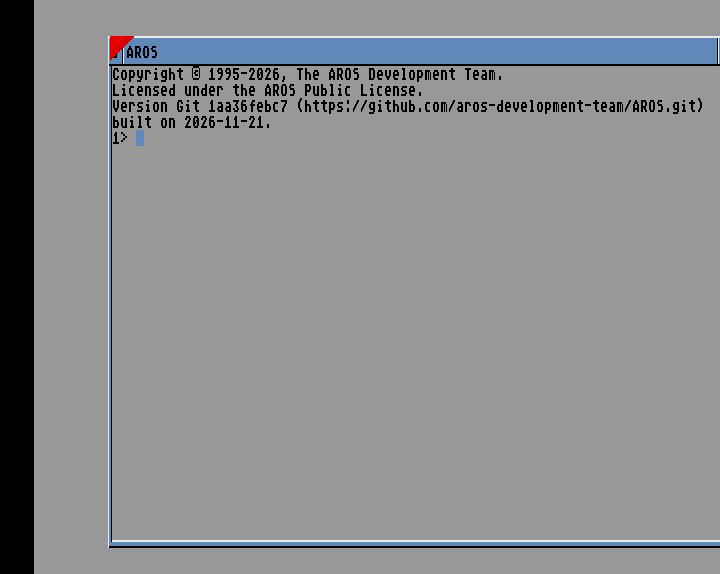
That’s why we test with AROS. AROS is a free, open-source operating system that reimplements the programming interfaces of the Amiga operating system. So it doesn’t copy any original code, but provides the same functions under the same names, rewritten from scratch. For emulators, AROS is available as a replacement ROM that takes the place of the Kickstart. We build this ROM ourselves from the open AROS source code, and we may pass it on under the terms of the AROS licence. The emulator projects themselves say openly that it is less compatible than the original.
 (enlarge image)✕ CloseOpen original image
AROS instead of Kickstart: the command line of our self-built AROS ROM from 21 November 2026 in the emulator. Own screenshot; the ROM is under the AROS Public License. No Kickstart, no game.
The CPU: the Motorola 68000
The main processor of the Amiga 500 is a Motorola 68000. It runs the programs: the game and the operating system functions that the game calls. Internally it computes with 32-bit registers; externally its data bus is 16 bits wide. In European machines (PAL) it runs at 7.09379 MHz.
What’s special is less the processor itself than what it doesn’t have to do. Graphics, sound and floppy disk are handled by separate chips, and they can access memory on their own. The technical term for this is DMA, direct memory access. This leaves the CPU free for other things.
The custom chips: Agnus, Denise and Paula
“Custom chips” is the name for the three components developed specifically for the Amiga: Agnus, Denise and Paula. They share one memory with the CPU, the chip RAM. Whatever is stored there, the chips can read and write without asking the CPU: the picture, the sounds, the floppy disk data.
 (enlarge image)✕ CloseOpen original image
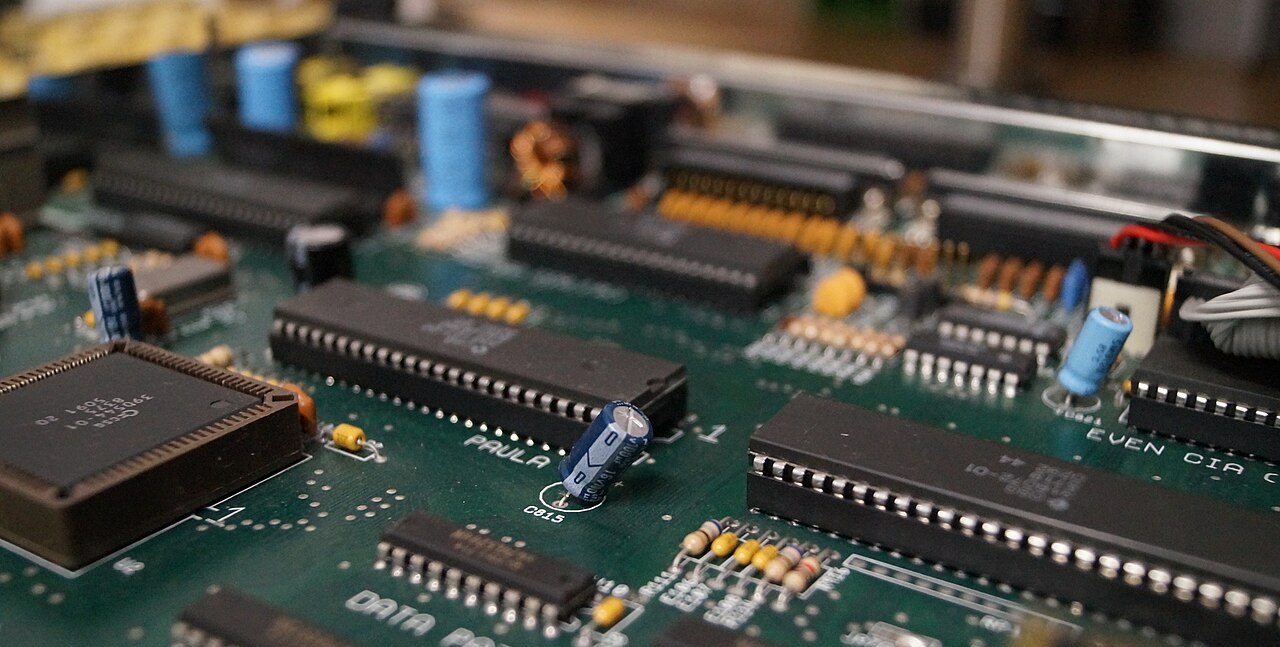
Section of an Amiga 500 Plus motherboard; the PAULA label marks the position of the sound chip. Photo: Werner Ziegelwanger, CC0 1.0 (public domain), Wikimedia Commons, cropped at the bottom.

Agnus controls who may access chip RAM and when, the CPU included. Agnus also contains two coprocessors:
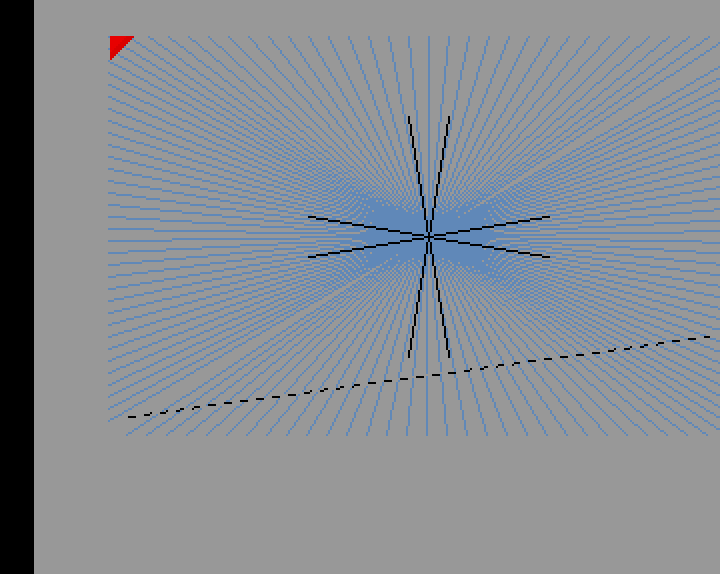
- The Blitter moves image data. It reads up to three sources, combines them according to a configurable logical rule and writes the result to a destination. This makes it possible, for example, to cut out figures with a mask and place them in front of a background. It can also draw lines and fill areas. The logical rule is called a minterm. What happens when an operating system doesn’t use the Blitter properly for this is described in Devlog 004.
- The Copper works through a small list of instructions that is tied to the building of the picture: when the electron beam reaches a certain point on the screen, the Copper changes settings of the other chips. This way, for example, the colour palette can change in the middle of the picture, or the screen can be split into bands with different resolutions, without the CPU having to step in.
 (enlarge image)✕ CloseOpen original image
Drawing lines is one of the Blitter’s jobs: a fan of lines from our own test program, drawn under our AROS build from 21 November 2026. Own screenshot, no Kickstart, no game.
Denise turns the data in chip RAM into the picture. The Amiga stores a picture in several bitplanes: each plane supplies one bit per pixel, and together they make up the colour number. With up to five planes, that’s 32 colours at once, chosen from 4096 possible ones. A sixth plane enables special modes such as HAM, with up to 4096 colours at once. On top of that come eight sprites, small movable graphics that can sit in front of or behind the background independently of it. Denise also reads the mouse and joystick.
Paula is above all the sound chip. It has four sound channels, two each for the left and right outputs. Each channel has its own volume and playback rate and fetches its sound data from memory by itself via DMA. Paula also takes care of the floppy disk drive, the serial port and the interrupts, the signals the hardware uses to interrupt the CPU. Programs can drive Paula directly or go through the audio.device in ROM. The audio.device shares the four channels among all programs that currently need sound and takes the hardware details off their hands.
Why this matters for Retroition
 (enlarge image)✕ CloseOpen original image
Where AROS sits in Retroition: between the game and the emulated hardware. Own drawing.
For the emulator, the ROM is as much a part of the machine as any component. Without Kickstart or a replacement, no game starts. With AROS as a replacement, whether a game runs then depends on two things: on the emulator recreating the chips correctly, and on AROS behaving at every point exactly like the Kickstart the game expects.
It’s this second point where things get stuck. Ports of Call uses functions from the ROM, for example for drawing via the Blitter and for sound via the audio.device. If AROS does something differently there than the Kickstart, the game becomes slow or hangs, even though the emulator itself does everything right.
The next devlog, Devlog 004, covers which three such places we found in AROS, how we measure them and what has already been fixed.
If you find a mistake in this text or can explain something better: write to me at hello@retroition.com.
Send an email